

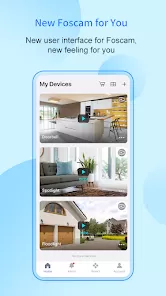
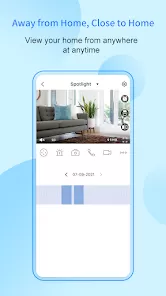
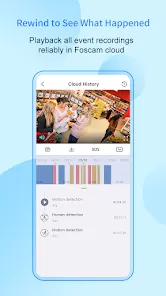
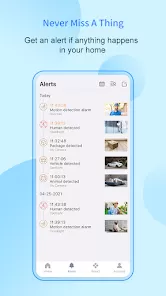
Foscam is a global brand specializing in the development and production of IP cameras, security systems, and related smart surveillance solutions. Known for offering affordable yet feature-rich products, Foscam caters to homeowners, businesses, and organizations seeking reliable security. Their cameras support indoor and outdoor monitoring, providing high-definition video, motion detection, night vision, and remote access via mobile and web apps. Many Foscam devices integrate with smart home platforms, making it easy to create a connected and secure environment. The brand emphasizes user-friendly installation, cloud storage options, and strong customer support. With a focus on combining innovation and affordability, Foscam has become a popular choice for individuals seeking practical and customizable surveillance solutions.
Pros and Cons of Foscam
Pros:
Affordable compared to many premium surveillance brands.
Wide selection of indoor and outdoor security cameras.
High-definition video quality with night vision support.
Easy setup with mobile app guidance.
Remote viewing and control through smartphones, tablets, and PCs.
Supports motion detection and instant alerts.
Cloud storage and local storage (SD card, NVR) options available.
Integration with smart home systems like Alexa and Google Assistant.
Regular firmware updates improve device security and features.
Strong community support and online resources for troubleshooting.
Cons:
Cloud storage services require additional subscription fees.
Some advanced features may feel complex for new users.
Limited free storage without an external device or SD card.
Occasional connectivity issues depending on Wi-Fi strength.
Customer support response times can vary.
Design may look less premium compared to higher-end brands.
Software interface may not be as polished as competitors.
Setup may require technical adjustments for advanced configurations.
Key Features of Foscam
Full HD video resolution with clear image quality.
Infrared night vision for 24/7 monitoring.
Two-way audio communication on select models.
Motion detection with customizable alert settings.
Cloud storage and local storage compatibility.
Pan, tilt, and zoom functionality on advanced models.
Weatherproof outdoor cameras for reliable security.
Mobile app and web portal for remote viewing.
Integration with smart home devices and voice assistants.
Multiple user access with secure login features.
Functions of Foscam
Monitors indoor and outdoor spaces in real time.
Captures high-resolution video and audio for security purposes.
Alerts users to unusual activity through motion detection notifications.
Enables remote access and monitoring from anywhere.
Supports communication via two-way audio on select models.
Stores recorded footage in the cloud or local devices for playback.
Integrates with home automation systems for added convenience.
Acts as a deterrent against theft and unauthorized entry.
Provides multiple viewing options for households and businesses.
Enhances peace of mind by safeguarding people and property.
How to Use Foscam
Click the button "Check All Versions" below to download and install it.
Purchase a Foscam camera suited for indoor or outdoor use.
Download the Foscam mobile app from Google Play or the App Store.
Connect the camera to a power source and your Wi-Fi network.
Follow in-app setup instructions to pair the device with your account.
Adjust camera placement for the best field of view.
Enable motion detection and customize alert preferences.
Choose between cloud or local storage for saving recordings.
Access live video feeds and playback footage through the app or web browser.
Use two-way audio for communication if supported by your model.
Integrate with smart home platforms like Alexa for voice control.
Regularly update the firmware for enhanced security and performance.
Review recordings and adjust settings to optimize your security experience.


 0
0